
FileSway Coming to the App Store

What stays on your iPhone

Image conversion, PDF tools and OCR run on your iPhone.

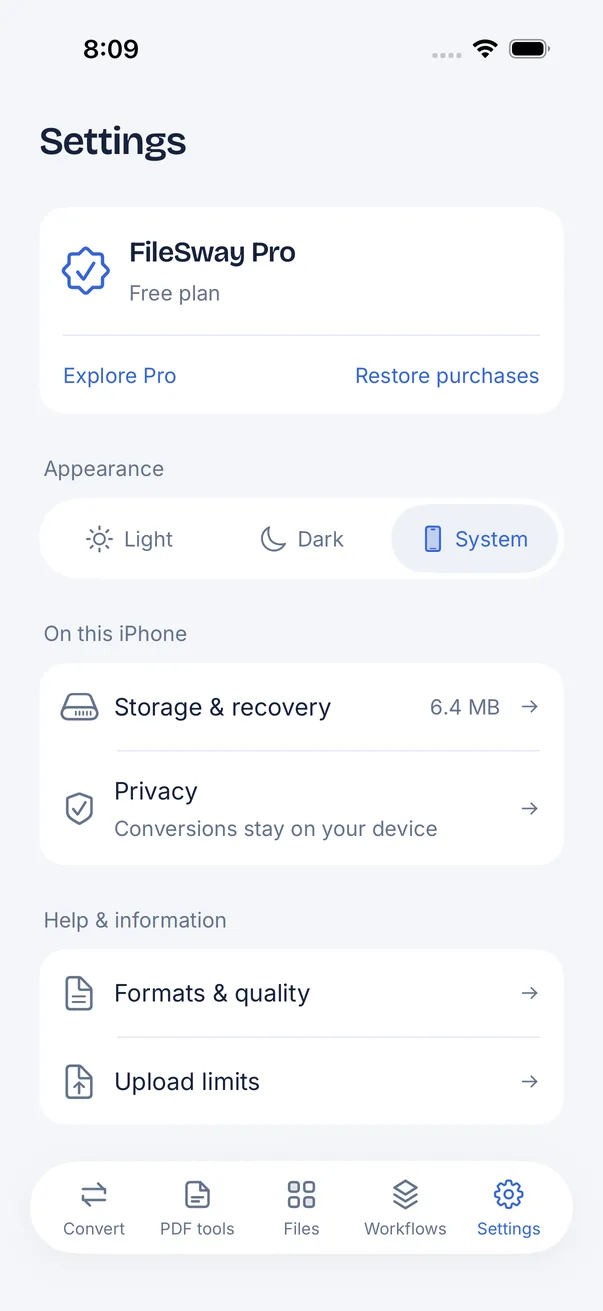
FileSway Settings screen: FileSway Pro free plan with Restore purchases, appearance Light, Dark or System, Storage and recovery, Privacy: Conversions stay on your device, Formats and quality, Upload limits.

Quick answer

Last updated

  • FileSway’s image conversion, PDF tools and OCR run on your iPhone.
  • Document processing does not upload your files to FileSway servers.
  • There is no account or login.
  • Cloud file providers, Apple purchases and links you open can still use the internet.
  • Online converters typically require uploading your file to their servers to process it.

What runs on your iPhone

Image conversion, PDF tools and OCR run on your iPhone. Cloud file providers, Apple purchases and restore, and links you choose to open can still use the internet.

Document processing does not upload your files to our servers.
ActivityWhere it runs
Image conversionOn your iPhone
PDF toolsOn your iPhone
OCR (Pro)On your iPhone
Cloud file providersCan use the internet
Apple purchases and restoreCan use the internet
Links you openCan use the internet

Good to know

01

What FileSway doesn’t do

There is no account or login. Document processing does not upload your files to our servers. The current version has no advertising or analytics SDK.

Apple’s App Privacy label for FileSway will be on the App Store listing.

02

Location and metadata

Supported metadata is kept by default. You can remove location, or broader supported metadata, when you choose to. Remove photo metadata on iPhone.

03

How this differs from online converters

Browser converters typically upload the file to process it. FileSway’s image conversion, PDF tools and OCR run on your iPhone. Online converters vs FileSway puts the two side by side. The full policy is the privacy policy.

FAQ

Privacy questions

Something else? Email support@cornerpostweb.com or visit Support.

Does FileSway need an internet connection?

Document processing does not upload your files to our servers. Image conversion, PDF tools and OCR run on the device. Cloud file providers, Apple purchases and restore, and links you choose to open can still use the internet. The current version has no advertising or analytics SDK and no account.

Does FileSway collect data?

There is no account or login, and the current version has no advertising or analytics SDK. Document processing does not upload your files to our servers. Apple’s App Privacy label for FileSway will be on the App Store listing.

How is this different from online converters?

Browser converters typically upload the file to process it. FileSway’s image conversion, PDF tools and OCR run on your iPhone. Read how this differs from online converters.

Can I remove location from a photo before I share it?

Supported metadata is kept by default. You can remove photo metadata, including location or broader supported metadata, when you choose to.

Where is the privacy policy?

Read the full privacy policy.

FileSway app icon

Your files.
Ready to go.

FileSway is coming to the App Store. Convert, resize & compress photos and PDFs, right on your iPhone.